▶ Video
Anthropic's own demo of Claude navigating nested formulas and multi-tab dependencies.
Getting started with Claude in Excel
Claude (Anthropic) Jan 2026
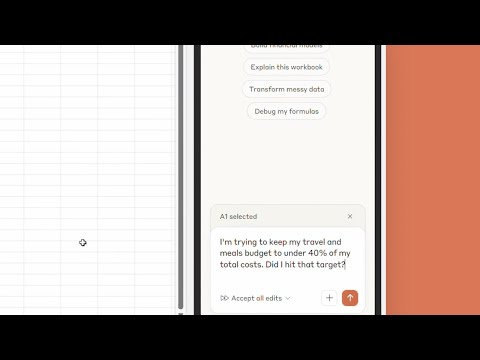

They sit inside your actual spreadsheet: Claude for Excel reads multi-tab workbooks, explains and fixes formulas with cell-level citations, fills templates, and builds new models; Gemini's =AI() function classifies, summarizes, and generates text right in Sheets cells. They are strongest at cleanup, formula work, and first-draft analysis. Review every change, because they preserve your file structure but not your judgment.
20 resources.
Anthropic's own demo of Claude navigating nested formulas and multi-tab dependencies.
Claude (Anthropic) Jan 2026
One of the clearest tech educators walks through cleaning, formula fixes, and analysis.
Kevin Stratvert May 2026
A finance-focused Excel YouTuber stress-tests it on realistic workbooks.
Kenji Explains 2026
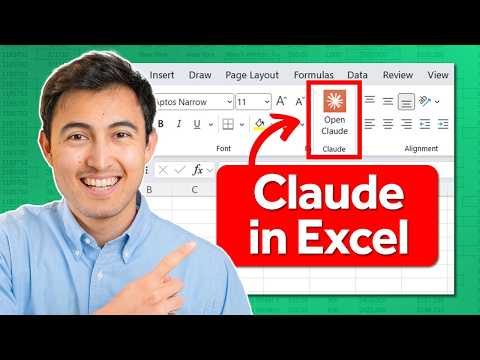
An Excel trainer's honest first-contact test across common spreadsheet tasks.
Excel Champs Feb 2026
The gentlest on-ramp if you have never used an AI add-in before.
Teacher's Tech Apr 2026

A tight demo of the =AI() function on real spreadsheet tasks.
Peter's Google Tips Apr 2025

Covers the plan requirements and gotchas that block most people from finding the feature.
Flipped Classroom Tutorials Sep 2025
A small-business angle on Gemini in Sheets, closest to a founder's actual use.
Stewart Gauld Jan 2025

The Microsoft-native alternative demonstrated end to end, for teams already on M365.
Lisa Crosbie 2025
The primary source on what Claude for Excel is built to do and for whom.
Anthropic Oct 2025
Open anthropic.com →Setup, plan requirements, and current limits straight from the maker.
Anthropic Oct 2025
Open support.claude.com →Independent evidence of a full working spreadsheet built from a single prompt.
Ethan Mollick Sep 2025
Open x.com →Why the same model gives different quality depending on how the spreadsheet agent works.
Ethan Mollick 2026
Open x.com →A skeptical outside view on where the add-in fits against Copilot.
TechRadar Pro Oct 2025
Open techradar.com →A veteran analyst's balanced scorecard, useful before you trust it with your model.
Olga Berezovsky (Data Analysis Journal) 2025
Open dataanalysis.substack.com →Google's own map of what Gemini can do inside Sheets, from charts to insights.
Google Workspace 2025
Open workspace.google.com →The reference for =AI("prompt", range), the single most useful Sheets AI primitive.
Google 2025
Open support.google.com →The primary-source changelog on Gemini generating and filling data in Sheets.
Google Workspace Updates Jun 2025
Open workspaceupdates.googleblog.com →Worked examples of categorizing and summarizing data in cells without add-ons.
KDnuggets 2025
Open kdnuggets.com →An India-based data community's practical walkthrough with prompt examples.
Analytics Vidhya Apr 2025
Open analyticsvidhya.com →The same ground, over in Grow & market, our Starting Up track.