Build your online store

Can I shoot good product photos on my phone, or do I need to book a studio?

The short answer

For most first collections, a phone (rear camera, a tripod, a roll of white paper and window light) gets you launch-ready shots - the gap between amateur and clean isn't the camera, it's a tripod, locked focus/exposure and consistent light, not gear you can't afford yet. Once you're shooting 50+ SKUs a month or need model/lifestyle work, an Indian studio or freelancer (roughly ₹75-300 per image in Delhi/Bangalore, less in Tier-2, numbers change) pays for itself in turnaround and consistency. Start on your phone to validate the catalogue; graduate to a studio when volume or category (jewellery, food, fine fabric) demands control you can't get handheld.

A quick summary to orient you. The real value is below: the resources worth your time, from people who've actually done it, not us.

Here are the resources

Hand-picked from around the web, each with a note on why it earns your time. India-specific ones carry a badge.

4 resources 1 India-specific 4 link-checked Watch Read

Watch

▶️ Video
✓ Link checked Free Beginner

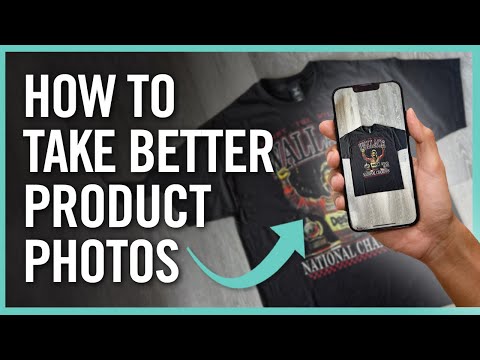
Why we picked it A short, visual walkthrough of the exact phone-photography setup founders actually need - watch this before you buy any equipment, since seeing the light and framing beats reading about it.

How To Take Better Product Photos with Your Phone

On youtube.com

  • Use the main rear lens, not selfie or zoom, for the cleanest detail.
  • Simple DIY diffusers (baking paper, foam board) fix harsh shadows for free.
  • Consistent framing and background across a shoot makes a catalogue look professional.
Watch on YouTube youtube.com

Read

📄 Article
✓ Link checked Free Beginner

Why we picked it The single best starting point for founders shooting their own catalogue - covers phone-only setups, budget lighting tricks and when it's time to graduate to a proper studio, all in one guide from the platform most Indian D2C stores run on.

The Complete Guide to Ecommerce Photography

From shopify.com by Shopify

  • A tripod and locked focus/exposure matter more than camera quality for sharp shots.
  • Overcast daylight or window light is the easiest free light source for beginners.
  • Shoot every angle of one product before moving to the next for consistency and speed.
Open shopify.com
📄 Article
✓ Link checked India Free Beginner

Why we picked it The rupee-native pricing reference this category needs - what a studio or freelancer shoot actually costs in India by product type and volume, so a founder can budget instead of guessing.

Product Photography Pricing in India: A Practical Cost Guide

From teamtsb.com by TeamTSB

  • Per-image pricing varies sharply by product complexity, location and shoot type (white background vs creative vs model).
  • Bulk shoots (100+ products) unlock meaningfully lower per-image rates.
  • Standard turnaround for white-background shoots runs 3-5 business days; creative/model shoots take longer.
Open teamtsb.com
📄 Article
✓ Link checked Freemium Intermediate

Why we picked it A current, tool-by-tool comparison of Claid, Photoroom and Pebblely - exactly the shortlist a founder needs before paying for AI background generation instead of a reshoot. Written by one of the category's own players but genuinely useful as a map of what each tool is best at.

AI Product Photography: The Best Tools for Ecommerce in 2026

From claid.ai by Claid

  • Claid suits high-volume catalogues (500+ SKUs) needing consistent, true-to-texture edits.
  • Photoroom is the strongest mobile-first option for quick marketplace-ready listings.
  • Pebblely works through 40+ background 'themes' rather than prompts, with a free monthly tier.
Open claid.ai

People also ask

eChai Partner Brands