Everything from

YouTube

73 resources from YouTube we point founders to, and the questions each answers.

▶️ Video
✓ Link checked India Free Intermediate

Why we picked it Kunal Shah's Delta 4 framework is the sharpest lens for judging an idea in a price-sensitive market like India, where you must be dramatically better, not marginally better. It explains why some products spread with zero ad spend and others die despite marketing.

Companies That Grow Without Ads (Delta-4 Theory)

On YouTube by Kunal Shah (Founder, CRED) ~15 min

  • If your product is at least four points better on a ten-point efficiency scale, adoption becomes irreversible.
  • Delta 4 products grow through word of mouth and often become verbs, no ad budget needed.
  • Marginal improvements don't change behaviour in India; aim for an obvious, undeniable leap.
Watch on YouTube youtube.com
▶️ Video
✓ Link checked Free Beginner

Why we picked it If your test shows real interest and you want a working first version fast, this is a full walkthrough of building an actual app in Bubble without writing code. It takes you from a blank canvas to a functioning product, which is exactly the middle path between endless validation and spending months learning to program. Good for shipping a first version yourself and putting it in front of real users.

Complete Bubble.io Course for Beginners: Build an App in 2025

On YouTube

  • Builds a working app end to end in Bubble with no code, so a non-technical founder can ship a first version.
  • Covers the real pieces (pages, database, workflows) rather than just talking about no-code in the abstract.
  • A no-code build is enough to test a real product with users; you can always rebuild in code later if it takes off.
Watch on YouTube youtube.com
▶️ Video
✓ Link checked Free Beginner

Why we picked it This is the canonical newcomer walkthrough: Christensen shows a team improving a milkshake on every obvious dimension and moving nothing, because they had the job wrong. It makes the good-versus-bad framing concrete in a few minutes, which is exactly the trap founders fall into when they optimize a feature instead of the job. Start here if the concept still feels abstract.

Clay Christensen: The Jobs to be Done Theory (the milkshake example)

On YouTube by Clayton Christensen (HubSpot Marketing) ~5 min

  • Improving a product on the wrong dimensions is what a bad job statement looks like in practice.
  • The same product can be hired for very different jobs (the morning commute versus the afternoon treat), so the situation defines the job.
  • Watch what people hire and fire, not just what they say they want, to name the job correctly.
Watch on YouTube youtube.com
▶️ Video
✓ Link checked Free Intermediate

Why we picked it If the book is too much to read right now, this talk gives you Dunford walking through the same method live, including how competitive alternatives set the frame customers judge you in. That framing is the key to your question: choosing what you are an alternative to is how you make one job lead without abandoning the others. Use it as a starting point to see the choosing process in motion before you commit.

Obviously Awesome: April Dunford's Positioning Do-Over

On YouTube by April Dunford ~45 min

  • Customers judge you against the alternative they would otherwise use, so the job you lead with is really a choice about which competitive alternative you frame against.
  • Setting the frame of reference deliberately is what lets one use case lead while the rest stay available underneath it.
  • Seeing the method demonstrated end to end makes it easier to apply to your own multi job product than reading the steps cold.
Watch on YouTube youtube.com
▶️ Video
✓ Link checked Free Intermediate

Why we picked it When a page feels slow, part of the fix is doing less work while the user waits, and this walkthrough shows how to move heavy operations (bulk creates, edits, long processes) into backend workflows so they run server-side instead of blocking the page render. It is a hands-on screen recording aimed at non-technical founders, so you can follow along in your own editor rather than reading theory. Pair it with the search tuning to attack both the query cost and the work happening on load.

How to Enable and Use Backend Workflows in Bubble

On YouTube by Coaching No Code Apps

  • Backend (server-side) workflows let heavy or bulk work run away from the browser, so the user sees instant feedback while the real processing happens in the background.
  • For large lists, schedule the work as a recursive or scheduled API workflow in batches instead of looping on the page, which is what keeps thousands of records from freezing the UI.
  • You have to explicitly enable backend workflows in your app settings before you can use them, and the video shows exactly where that switch lives.
Watch on YouTube youtube.com
▶️ Video
✓ Link checked Free Beginner

Why we picked it Before you connect anything, it helps to know which of the three big tools actually fits your volume and how much fiddly logic you are comfortable with. This walkthrough lays out Zapier, Make, and n8n side by side in plain terms, so you can match the tool to your situation instead of defaulting to the one everyone names first. Use it as a starting point to narrow the field, then go deep on whichever one survives your own test.

Zapier vs Make.com vs n8n: The Ultimate Beginners Guide

On YouTube by Automatable Video

  • Zapier is the easiest and priciest at scale, Make sits in the middle with strong visual logic, and n8n is cheapest at volume if you self-host
  • Task count and how much branching logic you need are the two questions that should decide the tool
  • Watch it to shortlist, then trial your top pick on your actual use case before committing
Watch on YouTube youtube.com
▶️ Video
✓ Link checked Free Beginner

Why we picked it This is a targeted walkthrough of the exact tells that make a page look unfinished or default: text running edge to edge, cramped spacing, mismatched fonts, and generic filler. Paige Brunton is a working web design educator, so she names each mistake and shows the fix on screen, which is more useful than a list of principles. Watch it with your own app open and fix along.

Website Layout Mistakes That Scream 'Amateur'

On YouTube by Paige Brunton

  • Give content breathing room: edge-to-edge text and tight spacing are the number one giveaway of a template.
  • Weak visual hierarchy (everything the same size and weight) is what makes a page feel flat, so make your most important thing clearly the biggest.
  • Small consistency fixes (alignment, repeated spacing, one clear accent color) do most of the work of looking professional.
Watch on YouTube youtube.com
▶️ Video
✓ Link checked Free Beginner

Why we picked it Reading about roles is one thing, watching someone actually build them is what makes it click, and this walks through setting up real role-based access in Bubble using option sets on the User type (admin, seller, buyer, and so on). It pairs the role model with where you enforce it, privacy rules at the database and conditions in the UI, which is the part beginners usually miss. Treat it as a starting template you adapt to your own roles, not a finished access model.

User Roles | Bubble.io Tutorial

On YouTube by Bubble Short tutorial video

  • Model roles as an option set on the User type instead of hardcoding checks, so adding a role later is a config change not a rebuild.
  • A role is only a label until you enforce it, do that with privacy rules on the data and conditions on pages and workflows.
  • Enforce access on the server side with privacy rules, hiding a button in the UI does not stop someone hitting the data directly.
Watch on YouTube youtube.com
▶️ Video
✓ Link checked Free Beginner

Why we picked it Riley Brown walks a non-coder from a blank screen to three working apps (an AI image generator, a landing page, and a report-analysis tool) entirely by talking to Cursor. It is long, but that is the point: you watch someone add custom features, hit errors, and work through them, which is what going beyond no-code actually feels like. He also shows deploying with GitHub and Vercel, so you end with something live, not a demo.

Complete Guide to Cursor For Non-Coders (Vibe Coding 101)

On YouTube by Riley Brown about 4 hours

  • You do not need to read the code to make progress, but you do need to describe features clearly and read the errors, and this video models both.
  • Real building includes things breaking, so watching the fixes matters as much as watching the wins.
  • Shipping means more than generating code: GitHub and deployment are part of the workflow from the start.
Watch on YouTube youtube.com
▶️ Video
✓ Link checked Free Intermediate

Why we picked it This is a concrete build, not a features tour: it walks through actually connecting Airtable to Make.com and moving data between them with search, create, update, upsert, and delete steps. Those five operations are exactly the plumbing that ends manual re-entry across tools, since an upsert means update if it exists, otherwise create instead of you eyeballing duplicates. It also covers bulk updates and rate limiting, which is where real automations quietly break.

6 Powerful Airtable Automation Tips Using Make.com

On YouTube by Jono Catliff About 42 minutes

  • Upsert is the workhorse of anti-manual-entry automation: it stops your synced tools from filling up with duplicate rows.
  • Rate limiting and bulk operations matter the moment you move more than a handful of records, so learn them before you scale a workflow.
  • Make.com's visual scenario builder lets you see the whole data flow, which makes it easier to debug than a chain of one-off triggers.
Watch on YouTube youtube.com
▶️ Video
✓ Link checked Free Beginner

Why we picked it If you would rather watch than read, this is a clear, no-hype walkthrough of how a name and SEO actually interact, covering which domain choices can hurt you and why keyword-in-domain is no longer the win it once was. It is a good starting point for a founder weighing a brandable name against a keyword-heavy one before locking in a domain.

How to Choose the Right Domain Name for SEO (And Avoid Big Mistakes)

On YouTube short explainer

  • Keyword-in-domain is no longer a meaningful ranking signal, so pick for brand, not for search terms.
  • Short, memorable, brandable names help recall and repeat visits more than a stuffed keyword name.
  • Some domain choices (hyphens, keyword stuffing, a spammy history) can actively hurt you, so check before you buy.
Watch on YouTube youtube.com
▶️ Video
✓ Link checked Free Beginner

Why we picked it Kevin Powell walks through why layouts that look fine on desktop fall apart on smaller screens, and the fixes are the exact culprits behind most mobile breaks: fixed pixel widths, missing flexible units, and clumsy media queries. He builds it visually so you see the break and the fix side by side rather than just reading rules. It is a practical starting point for anyone whose landing page shrinks badly on a phone.

Responsive design made easy

On YouTube by Kevin Powell about 43 minutes

  • Swap hardcoded px widths for relative units and max-width so content flexes instead of overflowing on narrow screens.
  • Use min(), max(), and clamp() to size things fluidly and lean less on brittle breakpoints.
  • Build mobile first, then layer on desktop enhancements, rather than shrinking a desktop layout down.
Watch on YouTube youtube.com
▶️ Video
✓ Link checked Free Beginner

Why we picked it Reading a spec table only gets you so far, so it helps to watch the two leading builders side by side before you commit a weekend to one. This is a straight visual head-to-head of Framer versus Webflow, the two tools most founders end up choosing between when they want design polish without a developer. Use it to see how each one actually feels to build in, then decide with the export and CMS tradeoffs in mind.

Which Platform Wins? Framer vs Webflow Full Comparison

On YouTube Short YouTube comparison

  • See the two builders demoed side by side so you can judge the editing experience, not just the marketing pages.
  • Framer tends to feel faster and more design-forward out of the box; Webflow trades some of that speed for more structure and control.
  • Watch it as a gut-check on which interface you'd actually enjoy working in, then pair that with the code-ownership question before you pick.
Watch on YouTube youtube.com
▶️ Video
✓ Link checked Free Beginner

Why we picked it Gerhardt built Exit Five almost entirely on founder-led marketing, so this is a practitioner showing how a founder's own presence (mostly LinkedIn) becomes a real growth channel, not a vanity project. It is concrete about showing up with a consistent point of view rather than posting for the sake of it. Watch it to see what putting your face out there actually looks like as a distribution strategy.

Dave Gerhardt's Top Advice on Building a Founder Brand in 2025

On YouTube by Dave Gerhardt short talk

  • Founder-led content works because someone credible shows up consistently with a clear point of view, not because the founder is famous.
  • Your personal presence can be the company's cheapest, highest-trust distribution channel in the early days.
  • The goal is to be recognizable somewhere specific, not to be everywhere at once.
Watch on YouTube youtube.com
▶️ Video
✓ Link checked Free Beginner

Why we picked it This is the fastest way for a founder to see that a clean logo is buildable by hand, not something you have to buy. It walks through Figma from a blank canvas, so you follow along and end up with an actual file, not just theory. Treat it as a starting point: get one credible mark done, then refine it later.

Figma Logo Design Tutorial for Beginners (Step-by-Step)

On YouTube by TEDKSTUDIO Short tutorial (under 20 minutes)

  • You can build a usable logo yourself in one sitting, no design degree needed.
  • The work is mostly picking a decent typeface and spacing it well, not drawing.
  • You end with a real, exportable file you own outright, not a preview locked behind a paywall.
Watch on YouTube youtube.com
▶️ Video
✓ Link checked Free Beginner

Why we picked it This is a short, plainly delivered walk-through of turning stiff, formal writing into copy that sounds like a real person, which is exactly the fix when English is your second language and everything comes out too proper. Clare Lynch runs seven concrete swaps on live examples: drop the preamble, use "you", use contractions, pick the simple word, keep sentences and paragraphs short. Watch it once, then rewrite one paragraph of your own using the same moves.

Write like you speak!

On YouTube by Dr Clare Lynch (Doris & Bertie Writing School) ~5 min

  • Cut the polite preamble and just say the thing: "Come to my party" beats "I would like to invite you to my party".
  • Contractions and simple word choices (use, not utilise) instantly make written English sound spoken.
  • Short sentences and short paragraphs, even one-line ones, are what make the copy read natural rather than translated.
Watch on YouTube youtube.com
▶️ Video
✓ Link checked Free Beginner

Why we picked it Before you commit to video, it helps to see what committing to video actually asks of you, and Colin and Samir compress a decade of making YouTube plus interviews with hundreds of creators into one free session. It is honest about the packaging work (titles, thumbnails, holding attention) that blogging does not demand in the same way. Use it to gut-check whether video is a lane you can sustain, not just one that sounds exciting.

The YouTube Playbook in 37 Minutes

On YouTube by Colin and Samir 37 min

  • YouTube rewards earning the click and respecting the viewer's time, which is real ongoing craft, not a one-time setup
  • Growth comes from consistency over months, so be honest about your production bandwidth before you pick video
  • A written post can go live in an hour; a watchable video rarely can, and that difference should shape your first choice
Watch on YouTube youtube.com
▶️ Video
✓ Link checked Free Beginner

Why we picked it Before you spend weeks validating, check whether the idea is even worth it. Kevin Hale's filter asks whether the problem is popular, growing, urgent, expensive, mandatory, and frequent. A fast way to drop weak ideas and focus on the ones worth testing.

How to Evaluate Startup Ideas

On YouTube by Kevin Hale, Y Combinator ~50 min

  • Start from the problem, not the solution.
  • Good problems are frequent, urgent, and expensive.
  • Behaviour change needs motivation, ability, and a trigger.
Watch on YouTube youtube.com
Answers What does 'validating an idea' actually mean? How do I know if my idea is any good? How do I validate an idea without building anything? I want to start a startup but I don't have an idea. Where do I even begin? How do I know if my idea is a real problem or just a 'nice to have'? I have too many ideas. How do I pick which one to actually work on? What makes an Indian startup idea work when the market is so price-sensitive? How big does my market need to be for this to be a real business? What are TAM, SAM, and SOM and how do I actually calculate them? Why does 'why now?' matter so much for a startup idea? How do I size a market for India specifically when data is messy? Should I worry that my market is already crowded with competitors? I'm passionate about an idea but have zero background in it. Should I still do it? Why does good design actually matter for an early-stage startup? Should I validate an idea before I can code, or learn to build first? How do I evaluate whether an idea is big enough to be worth years of my life? My co-founder and I keep debating two ideas and cannot agree, how do we decide? I am a domain expert but not a builder, is my idea real or just insider bias? Should I build for a market I know from home, like agriculture or local retail, or chase a global software idea? What are the warning signs that an idea will quietly waste a year of my life? How do I test whether people will actually pay, not just say they like it? How do I validate an idea in an industry I have no background in? How do I validate an idea when I'm building outside the big startup hubs and don't have easy access to target users? Do I even have a real problem, or just a solution I'm attached to? Is a waitlist with a lot of signups actual proof of demand? How do I validate demand in India when people love a free product but won't pay for it? How do I know when I've validated enough to actually start building? How do I validate an idea in a crowded market that already has big competitors? How do I estimate a market size when the product I'm building doesn't have a category yet? How do I tell whether a market is genuinely emerging or just a fad that will fade in a year? How much of the market do I realistically need to capture for this to be a real business? How do I know if the timing tailwind I'm counting on (a new regulation, a new tech) is real or wishful thinking? My total market looks small, but each customer is worth a lot. Can a low-count, high-value market still work? Everyone says my market is too niche to be venture-scale. When are they right, and when are they wrong? How do I research market size and timing when I can only spend a weekend and have no budget for reports? Two of us disagree on how big the opportunity is. How do we resolve a market-size argument between cofounders? How do I honestly test my founder-market fit before I quit my job? I've exited one company. Does my past success give me founder-market fit in a totally new industry? How do I turn a trend I've noticed into an actual product idea I can build? Is it smarter to ride a trend that's clearly rising, or to bet on a trend that hasn't started yet? As a non-technical founder, how do I evaluate a tech-heavy trend like AI without getting fooled by hype? How do I know if a trend is big enough to build a company on, or just a small niche? What are the most common mistakes founders make when they try to build on a hot trend? My first 5 customers were friends who signed up to be nice. How do I know if any of them actually want the product?
▶️ Video
✓ Link checked Free Beginner

Why we picked it After the book and the essay, this is the tactical walkthrough: how to get your first 100 customers with no ads, no complex SEO, and no viral trick. It leans on the same do things that don't scale idea but turns it into concrete first moves you can run this week. Use it as a starting point for a plan, then adapt the specifics to where your own customers actually hang out.

Y Combinator's Brutally Simple Playbook to Get Your First 100 Customers

On YouTube by Y Combinator

  • Start with people you already know or can reach directly, since warm outreach converts far better than anything cold.
  • Go where your customers already are (communities, threads, DMs) rather than waiting for them to find you.
  • The early goal is a small group who genuinely love the product, not a big vanity number.
Watch on YouTube youtube.com
▶️ Video
✓ Link checked Free Intermediate

Why we picked it Jay McBain is the most-cited named voice on channels and partner ecosystems, so if you are deciding whether resellers or partners belong in your motion, this is who founders actually listen to. He walks through how partner ecosystems are structured and where the customer relationship really sits, which is the part most first-time channel programs get wrong. We could confirm the video and speaker but not fully verify the runtime, so check the length before you block time.

Partner Ecosystems: Trends, Predictions and Forecast, with Jay McBain

On YouTube by Jay McBain Talk, roughly 30 to 45 minutes

  • Most buyers now reach a vendor through a partner or an existing relationship, which reframes when indirect is worth building.
  • Value-added resellers own the customer relationship by wrapping services around your product, so your program has to be designed around their economics, not just yours.
  • A partner motion is a business model you build for the partner, not a distribution deal you bolt on, and treating it as the latter is why many programs stall.
Watch on YouTube youtube.com
▶️ Video
✓ Link checked Free Beginner

Why we picked it Dara Denney is a paid social practitioner, not a guru, and this walkthrough shows how she actually structures a disciplined creative test when the budget is small. She talks through what to run, how long to give it, and when to call a result, so you spend your first few hundred dollars learning something instead of just burning it. Watch it before your first paid test, not after.

How to Test Facebook Ads Creatives at Every Budget

On YouTube by Dara Denney

  • A tight budget changes how you test: run fewer creatives and give each one enough spend to produce a readable signal.
  • Decide your read (winner, loser, or inconclusive) on evidence and a set time window, not on a gut feel after two days.
  • The same core method scales up, so what you learn on a small test carries into a bigger budget later.
Watch on YouTube youtube.com
▶️ Video
✓ Link checked Free Beginner

Why we picked it Reading about instrumenting an event is one thing, watching someone actually set it up and see the data land is what makes it click. This walkthrough takes you from a blank account through capturing events and reading the first charts, so you can copy the steps for your own product. Use it as a practical starting point, then define the one or two events that actually signal a user got value.

How to Use PostHog: Step-by-Step Guide for Product Analytics & Session Replay

On YouTube by PostHog

  • Seeing the setup end to end (install, capture an event, read the chart) removes the guesswork of starting from docs alone.
  • Autocapture gets you data fast, but the real value is defining a deliberate custom event for your activation moment.
  • You can get a working analytics view in one sitting without building a wall of dashboards.
Watch on YouTube youtube.com
▶️ Video
✓ Link checked Free Intermediate

Why we picked it Balfour (founder of Reforge, former VP Growth at HubSpot) reframes growth away from one-off pushes and toward a model where one cohort of users feeds the next, which is exactly the difference between a bump and durable growth. Watching it gives you the mental picture of what compounding growth looks like, so you can ask whether your recent numbers are self-sustaining or just a spend-fuelled spike. Treat it as a starting point for building your own growth model, not a checklist.

Building a Growth Machine (Relay Ventures CEO Summit 2018)

On YouTube by Brian Balfour About 35 minutes

  • Durable growth comes from a compounding loop where output (users, revenue) is reinvested to produce the next cohort, unlike a launch or discount that spends down and stops.
  • Sustainability mostly comes down to retention: if a jump in users does not hold over time, it will not compound.
  • Building a qualitative and quantitative growth model helps you spot your real constraints instead of chasing a one-time bump.
Watch on YouTube youtube.com
▶️ Video
✓ Link checked Free Beginner

Why we picked it Before you judge a paid campaign, you need to know the platform spends the first stretch guessing, and this video from a working media buyer breaks that down plainly. It explains why cost per result swings wildly early and why the algorithm needs a batch of conversions (around 50 in a week) before delivery settles. Watch it so you do not kill an ad set that was simply still learning.

Facebook Ads Learning Phase Explained

On YouTube by Hernan Vazquez

  • New ad sets enter a learning phase where the platform is making exploratory bids, so early cost per result is unreliable by design.
  • Meta wants roughly 50 optimization events in a rolling week before delivery stabilizes and the numbers mean something.
  • Editing budget, targeting, or creative mid-flight restarts learning, so constant tweaking keeps you stuck reading noise.
Watch on YouTube youtube.com
▶️ Video
✓ Link checked Free Beginner

Why we picked it Ben Heath runs real ad accounts across both platforms, so this is an operator talking you through the actual tradeoff rather than an agency selling one side. He is direct about when each channel fits, which is what you need when you are picking your very first paid channel and cannot afford to split a small budget two ways. Treat it as one experienced opinion to weigh, not the final word.

Facebook vs Google Ads: Which is Best?

On YouTube by Ben Heath Roughly 15 minutes

  • Google works when intent already exists (people searching for what you sell), so a brand nobody is looking for yet gets little from it early on.
  • Meta lets you reach people by interest and behavior, which is how you introduce a product the market does not know it wants.
  • For a small first budget, concentrating on one channel and learning it well usually beats spreading thin across both.
Watch on YouTube youtube.com
▶️ Video
✓ Link checked Free Beginner

Why we picked it The trap most first-time advertisers fall into is testing ten versions of the same idea (different colors, same message) and learning nothing. This walks through five genuinely different angles to test, which is what actually moves the needle when you have a small budget. It makes the abstract idea of testing distinct angles concrete enough to copy.

5 Ad Angles To Test With Facebook Ads

On YouTube by Nick Theriot ~15 min

  • Real testing means separate angles (problem, social proof, offer), not cosmetic tweaks on one concept.
  • A handful of distinct angles teaches you more than a large pile of near-identical variations.
  • Once one angle wins, you iterate around it rather than starting from a blank page each time.
Watch on YouTube youtube.com
▶️ Video
✓ Link checked Free Beginner

Why we picked it A practical, screen-share style walkthrough comparing Meta instant lead forms against sending traffic to a landing page, from someone who actually runs these campaigns. It gets past the theory and shows how the two objectives behave differently on cost and lead quality. Watch it to see the mechanics before you pick a direction, not as a final verdict.

Instant Form Ads Vs Landing Pages... Which Is Better?

On YouTube by Konstantin ~10 min

  • Instant forms usually win on volume and cost per lead because the details are pre-filled, especially on mobile
  • Landing pages give you room to make the case and pre-qualify, so leads tend to be warmer even if fewer
  • The right call depends on how strong your site is and whether your follow-up can handle higher volume, so test both against real sales, not just cost per lead
Watch on YouTube youtube.com
▶️ Video
✓ Link checked Free Beginner

Why we picked it You cannot honestly say a creator deal beat your ads unless you can trace the sales back to the creator, and this walks through the exact setup: UTM tagged links, unique codes, and reading the conversions in Google Analytics. It is the plumbing that turns the cost comparison from a guess into a number you can defend. Treat it as the how-to that sits under the cost article above, a starting point for wiring up attribution before you spend.

How to Track Influencer Marketing Sales and Conversions Using Google Analytics

On YouTube by YouTube creator (channel shown on the video page) short YouTube tutorial

  • Give every creator a unique code and a UTM tagged link so each sale is attributable to one person, not to a vague pile of social traffic.
  • Set up a conversion or goal in Google Analytics so purchases from those links show up as revenue you can put next to the deal cost.
  • UTM links catch the clicks and codes catch the intent, so run both, because using one alone quietly loses part of the sales you paid for.
Watch on YouTube youtube.com
▶️ Video
✓ Link checked Free Beginner

Why we picked it A walkthrough that shows the prevention side on screen (account setup, warm up, and the behaviours that get flagged) and what to actually do if your account does get disabled. Seeing the Business Manager screens is more useful than reading about them when you are new to Meta ads. Watch it as an orientation, then lean on Meta's own help pages for the exact current appeal steps, since the interface changes often.

How To NEVER Get A Disabled Facebook Ad Account In 2025

On YouTube Short walkthrough video

  • Warm up a new ad account with simple, clearly compliant ads before pushing spend or aggressive creative.
  • Consistent spending and clean creative matter more than any single trick for staying unrestricted.
  • If you do get disabled, appeal quickly and calmly through Account Quality; act well within the 180 day window before it becomes permanent.
Watch on YouTube youtube.com
▶️ Video
✓ Link checked Free Beginner

Why we picked it This is a practical, watch-then-copy demonstration of how someone with a full plate front-loads content into a couple of batch sessions instead of scrambling daily. It separates the work into stages (ideas, then scripting, then filming, then editing) so you stay in one mode at a time, which is what makes batching actually faster. Vanessa Lau is a widely referenced creator on this exact workflow, so it is a solid starting point rather than a one-off hot take.

How to Batch Content for YouTube (3 Months of Content in 2 Weeks!)

On YouTube by Vanessa Lau Around 15 minutes

  • Split content work into distinct batch stages (ideate, script, produce) so you never restart your brain mid-task.
  • A few concentrated sessions can cover weeks of posting, which is the whole point when product work eats your calendar.
  • The staged system is medium-agnostic: the same batching logic applies whether you post video, threads, or written posts.
Watch on YouTube youtube.com
▶️ Video
✓ Link checked Free Intermediate

Why we picked it This is the later-stage move, once you have won on one channel and are ready to be in more places without doubling your workload. Gary Vaynerchuk walks through his pillar-content model: film one strong long-form video, then cut it into dozens of platform-specific pieces for Instagram, YouTube, LinkedIn, and the rest. Save this for after you have traction, not before, because repurposing weak content just spreads weak content wider.

30 Days of 64 Pieces of Content by Gary Vaynerchuk

On YouTube by Gary Vaynerchuk

  • Multi-platform presence is a distribution problem you solve by repurposing one anchor video, not by creating separate content everywhere.
  • One long-form piece can become 30-plus platform-native clips, quotes, and posts.
  • This is a scale move for after you have a channel that works, not a way to start out.
Watch on YouTube youtube.com
▶️ Video
✓ Link checked India Free Beginner

Why we picked it EChai started as casual chai meetups in Ahmedabad in 2009 and grew into a founder network running weekly events across 25+ cities, most of them well outside the obvious startup centres. This conversation is a concrete look at how that multi-city model actually holds together, run by local hosts and repeatable rituals rather than one big hub. If you are building where the scene is thin, it is a working example of doing it city by city instead of waiting to move.

Jatin Chaudhary on Building Global Startup Communities with eChai Ventures

On YouTube by KU Podsquad (guest: Jatin Chaudhary) ~45 min

  • A founder community can scale across many cities by empowering local hosts to run their own chapters, so no single metro has to carry it.
  • Simple, repeatable rituals (regular meetups, demo days, small dinners) build a scene over time better than one-off large events.
  • Consistency and genuine relationships, not headcount, are what make a founder network in a place without density actually last.
Watch on YouTube youtube.com
▶️ Video
✓ Link checked Free Beginner

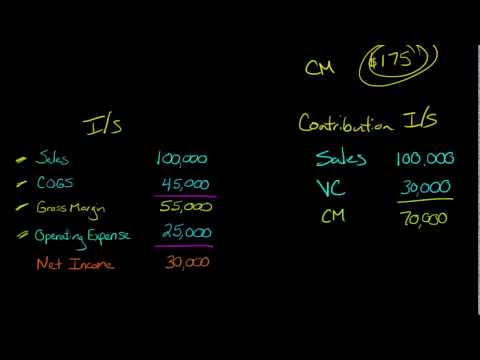
Why we picked it For founders who learn by watching the math build up rather than reading formulas, Edspira is the go-to accounting channel, made by a CPA and PhD who teaches this for a living. This short walkthrough builds contribution margin from revenue minus variable costs step by step, so you actually see where the number comes from and why it differs from the gross figure. It is a concept explainer, so pair it with your own cost breakdown to see which margin your business should obsess over.

Contribution Margin

On YouTube by Edspira (Michael McLaughlin, PhD, CPA) Short (under 10 min)

  • Contribution margin is revenue minus variable costs, and this video builds that up visually so the formula sticks.
  • It shows how contribution margin feeds break-even analysis, which is the practical reason to track it per unit.
  • Clear, no-hype teaching from a CPA, useful as a first pass before you apply it to your own numbers.
Watch on YouTube youtube.com
▶️ Video
✓ Link checked Free Beginner

Why we picked it If you are new to the term, watching the mechanics is faster than reading three definitions, and this short explainer walks through what a take rate is and why the number lands where it does for different marketplaces. It connects the percentage to purchase patterns, so you leave understanding why a high-frequency, low-ticket marketplace can charge more than an occasional big-ticket one. Treat it as your five-minute on-ramp before you go read the a16z and Sharetribe pieces.

Take Rate Explained

On YouTube by Mostly Growth (CJ Gustafson) Short explainer

  • Take rate is the slice of each transaction the platform keeps, framed simply as how many dollars out of every 100 flowing through you become revenue.
  • The right rate is shaped by how often and how large your transactions are, not by copying a competitor's percentage.
  • It is a quick visual on-ramp to the term, best paired with a deeper written reference before you set your own number.
Watch on YouTube youtube.com
▶️ Video
✓ Link checked Free Beginner

Why we picked it A first-timer usually gets the abstract pitch (recurring revenue is predictable) without seeing what that means for the cash in the bank next month. This video walks through both sides on screen, the upfront lump sum of a one-time sale versus the slow, compounding, retention-dependent trickle of a subscription, so you can picture the cash-flow and churn differences before you commit. Treat it as a framing of the tradeoff, then run the numbers against your own usage and acquisition cost.

Subscription Models vs One Time Purchase: Bridge the Debate

On YouTube by Soren Kaplan

  • A one-time sale hands you the full amount upfront, which helps early cash flow, but every month resets to zero unless you keep finding new buyers.
  • Subscription revenue compounds only if retention holds: at 8 percent monthly churn, 100 customers become about 43 within a year, so the math needs low acquisition cost and sticky usage.
  • The honest answer is often a hybrid (a recurring core plus one-time add-ons), which is why you should decide based on how people use the product rather than which model sounds better.
Watch on YouTube youtube.com
▶️ Video
✓ Link checked Free Beginner

Why we picked it If you have never actually built a retention curve, reading about them only gets you so far, so this is a visual walkthrough of how a cohort table becomes a retention curve and how investors read it. It goes from raw user retention to net dollar retention step by step, which is the mental model you need before you try to bound LTV from three months of data. Watch it once, then go build your own tiny version in the template below.

Customer Retention & Cohort Analysis: How VCs Calculate Customer Retention

On YouTube Short explainer (under 15 minutes)

  • A cohort table (customers acquired per month, then retained each following month) is the raw material a retention curve is drawn from.
  • Reading the shape of the curve, where it drops fast and where it flattens, matters more than any single average when your history is short.
  • Net dollar retention (expansion offsetting churn) can tell a very different story than logo retention, so watch both as your cohorts age.
Watch on YouTube youtube.com
▶️ Video
✓ Link checked Free Intermediate

Why we picked it Fried built Basecamp for over twenty years without raising, so this is the self-funding case argued by someone who actually lived it, with real numbers and real tradeoffs rather than theory. He is honest that bootstrapping means paying yourself less and growing slower, which is exactly the cost you are weighing when you decide how much of your own money to risk. Treat it as one strong point of view to pressure-test against your own situation, not a verdict that bootstrapping always wins.

Jason Fried Interview: Bootstrapping vs VC, Profit vs Revenue, Basecamp, HEY & Once

On YouTube by Jason Fried long-form interview, roughly an hour

  • A real founder makes the case for funding the business yourself, with concrete examples from two decades of running Basecamp without investors.
  • Self-funding buys control and patience, but the honest price is a smaller salary and slower growth while you build.
  • Profit, not revenue or a raise, is the number that keeps the decision about your own savings in your hands.
Watch on YouTube youtube.com
▶️ Video
✓ Link checked Free Beginner

Why we picked it A short, visual walkthrough of the one idea behind the whole puzzle: accrual accounting records revenue when you earn it, not when the money lands, so your profit figure and your bank balance are measuring two different things. Seeing the timing laid out on screen makes it click faster than reading a definition. Treat it as the concept primer before you sit down with your own numbers.

Cash Basis vs. Accrual Basis Accounting Explained: Which Is Right for Your Business?

On YouTube

  • Cash basis tracks money in and out of the bank, accrual basis tracks revenue and expenses in the period they are earned or incurred.
  • Your accountant almost certainly reports profit on an accrual basis, which is why it can look healthy while cash is tight.
  • Once you know which method your books use, the empty-account surprise stops being a surprise.
Watch on YouTube youtube.com
▶️ Video
✓ Link checked India Free Beginner

Why we picked it Most startup finance advice is written for a US cap table, so this one earns its place by walking through the India-specific tax and compliance ground: GST, TDS, and the founder decisions that decide your tax bill. It is a starting point for understanding where Indian founders leave money on the table or trip a penalty, not a substitute for your own CA. We could not content-verify the video via automated fetch (YouTube renders as an app shell), so confirm it opens and matches before you lean on it.

How Indian Startup Founders Save Crores in Taxes!

On YouTube

  • Getting your entity and DPIIT recognition sorted early is what unlocks benefits like the Section 80-IAC tax holiday, and missing the window quietly forfeits it.
  • TDS and GST are where founders get hit with interest and late fees for things they did not know were their job, like deducting TDS at the point an expense is credited, not when it is paid.
  • Once you have a GSTIN you file even nil returns, so an inactive month still needs attention or the daily late fee stacks up.
Watch on YouTube youtube.com
▶️ Video
✓ Link checked Free Beginner

Why we picked it A short, no-fluff demo that takes a plain Google Sheet to a usable mobile app in a few minutes. It is a fast way to gut-check whether this approach fits your idea before you invest an afternoon. Good first watch if you are still deciding.

Build an App from a Google Sheet with Glide!

On YouTube by Glide 10 min video

  • An app takes minutes, not days, to stand up
  • A simple sheet is enough to begin
  • The result is mobile-friendly out of the box
Watch on YouTube youtube.com
▶️ Video
✓ Link checked Free Beginner

Why we picked it Sethi walks through actual subject lines and opening sentences and explains, in real time, why one gets read and another gets deleted. Watching him edit a bad first line into a good one is more instructive than reading the rule.

How to Write Emails That Get Opened

On YouTube by Ramit Sethi ~12 min

  • Subject lines that sound like a colleague beat subject lines that sound like a pitch
  • Cut every sentence that isn't doing work for the reader, not for you
  • Make the ask something the reader can say yes to in one line
Watch on YouTube youtube.com
▶️ Video
✓ Link checked Free Beginner

Why we picked it A free talk version of the book for when you want the core ideas without reading it end to end. Fitzpatrick explains why people lie in market research and how commitment separates signal from noise. A quick primer before you interview your waitlist.

The Mom Test (author talk)

On YouTube by Rob Fitzpatrick ~45 min

  • Everyone is polite, so opinions mislead you.
  • Commitment and advancement reveal genuine interest.
  • Past actions predict better than future promises.
Watch on YouTube youtube.com
🎧 Podcast
✓ Link checked India Free Intermediate

Why we picked it Hosted by a founder who has built and sold companies in India, this show digs into how Indian founders actually got from zero to one, including the scrappy early tests they ran before the product existed. Browse the catalogue for early-stage episodes and you will hear real accounts of validating in the Indian market, which differs from the usual Silicon Valley examples. Useful for grounding MVP thinking in your own context.

The Neon Show

On YouTube by Siddhartha Ahluwalia 45 to 90 min episodes

  • Hear how Indian founders validated demand before building
  • Zero to one stories that reflect local buyer behaviour and constraints
  • Long-form interviews go deeper than a summary essay can
Open youtube.com
▶️ Video
✓ Link checked Free Intermediate

Why we picked it A conference talk aimed at founders who have an MVP on Bubble and now need it to hold up as users arrive. It gets concrete about database structure, performance, and the practices that keep a no-code app fast as it grows. Watch it when you are past validation and worried about the wall.

How to Go From MVP to Scaling Startup with Bubble (Bubblecon 2024)

On YouTube by Bubble ~30 min

  • No-code apps scale further with good data design
  • Performance problems are usually fixable, not fatal
  • Plan structure early to delay any re-platform
Watch on YouTube youtube.com
▶️ Video
✓ Link checked Free Beginner

Why we picked it A real, unedited build of a recognizable product in Lovable, so you can see exactly how far a prompt driven tool gets on something non trivial. It is a useful reality check on the speed claims and on where an AI builder starts needing hand holding. Concrete evidence beats any feature list when you are deciding what to try first.

Building a Docusign clone with Lovable (live vibe coding)

On YouTube 40 min

  • Shows a familiar product built from prompts in under an hour
  • Reveals where Lovable moves fast and where it stalls
  • Grounds the speed promise in an actual build, not a pitch
Watch on YouTube youtube.com
▶️ Video
✓ Link checked Free Beginner

Why we picked it A screen-recorded, start-to-finish build of a working app from a Google Sheet. Watching someone click through connecting the sheet and arranging screens makes the whole idea click faster than any written guide. Keep it open in one tab and build alongside it.

Build a Simple App from a Google Sheet with Glide

On YouTube by Glide 15 min video

  • See the full connect-and-configure flow in real time
  • Understand how sheet rows map to app screens
  • No coding at any step
Watch on YouTube youtube.com
▶️ Video
✓ Link checked Free Beginner

Why we picked it The most direct fix for a repeating group choking on thousands of rows is to stop loading them all at once. This shows how to page a repeating group step by step so it fetches a screen at a time. A concrete change you can ship the same day.

Pagination for Repeating Groups (Bubble tutorial)

On YouTube ~15 min

  • Never render hundreds of rows at once
  • Pagination fetches one page of data per view
  • Fewer loaded rows means faster render and lower workload
Watch on YouTube youtube.com
▶️ Video
✓ Link checked Free Intermediate

Why we picked it When you need to touch thousands of records, doing it in one go times out; a recursive backend workflow processes them in safe batches instead. This walks through building that loop from scratch. It is the standard pattern for batch work in Bubble, so it is worth learning once.

Recursive workflows in Bubble (how to loop through a list)

On YouTube ~20 min

  • A recursive workflow reschedules itself to process a list in chunks
  • Batching avoids timeouts on large updates
  • This is how you run big jobs without freezing the app
Watch on YouTube youtube.com
▶️ Video
✓ Link checked Free Beginner

Why we picked it If reading about webhooks does not click, watching one fire on screen usually does. This short beginner video shows the event, the HTTP request, and the receiving endpoint visually, which makes the concept stick. It is a fast way to get comfortable before you set up your first real connection.

What is a Webhook? Webhooks for Beginners

On YouTube

  • Seeing a webhook fire live makes the concept concrete
  • A webhook is just an HTTP request carrying event data
  • The receiving app decides what to do with the payload
Watch on YouTube youtube.com
▶️ Video
✓ Link checked Free Beginner

Why we picked it A five minute grounding in what an API actually is, aimed at people who do not write code. It gives you the vocabulary (endpoint, request, response, key) you need to read any tool's API docs. Short enough to watch before you start connecting anything.

API Explained in 5 Minutes (for beginners)

On YouTube ~5 min

  • An API is two pieces of software talking through defined requests
  • Learn the words endpoint, request, response, and key
  • Five minutes is enough to read most SaaS API docs afterward
Watch on YouTube youtube.com
▶️ Video
✓ Link checked Free Intermediate

Why we picked it A screen by screen walkthrough of standing up your own n8n instance, first locally then on a VPS, without needing to be a sysadmin. If the docs feel abstract, watching someone do it end to end removes the fear. By the end you have a running instance that connects tools for the cost of the server.

Self-host n8n with Docker (no code) on your computer and a VPS

On YouTube by ByteGrad

  • Watch a full self host from local test to live VPS
  • No prior server experience assumed
  • Ends with a working instance you can build workflows on
Watch on YouTube youtube.com
▶️ Video
✓ Link checked Free Beginner

Why we picked it A practical walk, through aimed squarely at no, code founders who did not study design, applying spacing, type, and color decisions inside a real builder. It bridges the gap between design theory and where you actually work. Useful if you learn better by watching someone fix a screen than by reading rules.

How to Design Your Bubble App (When You're Not a Designer)

On YouTube video

  • Build a reusable style base for buttons, type, and inputs
  • Apply spacing and hierarchy directly in the no, code editor
  • Study polished products and borrow their patterns deliberately
Watch on YouTube youtube.com
▶️ Video
✓ Link checked Free Beginner

Why we picked it If you learn by watching someone click, this walks through building a real Zap start to finish so the trigger-and-action idea clicks visually. Seeing the setup once removes the fear that keeps founders doing data entry by hand. Pause it partway and build the same automation on your own account rather than watching to the end.

A complete beginners guide to Zapier

On YouTube by MinorCo ~20 min

  • Watch a real automation get built before you build your own
  • The setup is far simpler than the manual work it replaces
  • Build alongside the video instead of just watching it
Watch on YouTube youtube.com
▶️ Video
✓ Link checked Free Intermediate

Why we picked it Make is the more visual and often cheaper alternative to Zapier once your handoffs need branching or run at higher volume. This tutorial shows its canvas, where you watch data move through each step, which makes complex flows easier to debug. Learn it when a single Zapier automation starts needing filters, routers, or conditional paths.

Make.com Tutorial for Beginners | Build Automations and AI Workflows Fast

On YouTube by Thalita Milan ~45 min

  • Make's visual canvas makes multi-step flows easier to follow
  • It tends to be cheaper than Zapier at higher volumes
  • Reach for it when your automations need branching logic
Watch on YouTube youtube.com
▶️ Video
✓ Link checked Free Intermediate

Why we picked it Seeing the AI builders actually run beats reading feature lists, and this puts them head to head on real prompts. You get a feel for how far each one gets you before it stalls or needs code. Watch it to set realistic expectations before you burn an evening on one.

I Ranked Every AI App Builder for 2026: Lovable vs Bolt vs Replit vs Cursor

On YouTube 20 min

  • Watching them build shows where each one stalls
  • Prototype speed varies a lot between tools
  • Set expectations before committing an evening
Watch on YouTube youtube.com
▶️ Video
✓ Link checked Free Beginner

Why we picked it A hands on walkthrough of turning an app idea into a user flow and simple wireframes, which is the practical skill our answer keeps pointing at. Watching someone map screens and connect them makes the sketch the flows advice concrete for a first timer. Follow along and you will have a shareable flow of your own by the end.

App Wireframe Design and User Flow UX (Whimsical Tutorial)

On YouTube ~15 min

  • See a user flow built from screen to screen in real time
  • Wireframes can stay rough and still communicate the whole idea
  • A flow diagram shows a developer the path before any code
Watch on YouTube youtube.com
▶️ Video
✓ Link checked Free Beginner

Why we picked it Watch Steve Schoger take ugly, developer-built screens and fix them live, narrating every decision. Seeing the transformation happen in real time makes the rules stick better than reading them. It is the fastest way to understand what actually separates a plain interface from a polished one.

Refactoring UI (CSS Day 2019 talk)

On YouTube by Steve Schoger 44 min

  • Small cosmetic changes compound into a big jump in polish
  • Contrast, spacing, and shadow do most of the heavy lifting
  • Watching a redesign happen teaches the eye faster than theory
Watch on YouTube youtube.com
▶️ Video
✓ Link checked Free Beginner

Why we picked it Schoger walks through the mindset behind good visual decisions rather than just the rules, showing how a designer looks at a screen and decides what to change. It helps you develop the eye that lets you spot your own mistakes. A good complement to the rule lists once you want to understand the why.

How to Think Like a Visual Designer

On YouTube by Steve Schoger Approx. 40 min

  • Good design is a series of small deliberate decisions, learnable by anyone
  • Training your eye to notice problems is half the work
  • The same few principles apply whether you are building or reviewing
Watch on YouTube youtube.com
▶️ Video
✓ Link checked Free Beginner

Why we picked it A recorded talk version of the whole framework if you absorb ideas better by listening. Yablonski connects the individual laws into a way of thinking, with visuals from real products. A solid single sitting introduction to share with a cofounder or early designer.

Laws of UX: Using Psychology to Design Better Products and Services (talk)

On YouTube by Jon Yablonski Approx. 40 min video

  • The full framework explained in one talk
  • Visual examples from products you already use
  • A shareable intro for non designers on the team
Watch on YouTube youtube.com
▶️ Video
✓ Link checked Free Beginner

Why we picked it The same seven rules delivered as a talk, useful if you learn better by watching than reading. Kennedy shows examples of each rule failing and then fixed, so you can connect the principle to a real screen. A good companion if the essay leaves you wanting to see it in action.

7 Rules for Creating Gorgeous UI (talk)

On YouTube by Erik Kennedy ~50 min

  • See each rule applied to real interface examples
  • Whitespace and font choice do most of the work
  • Small consistent decisions compound into a polished look
Watch on YouTube youtube.com
▶️ Video
✓ Link checked Free Beginner

Why we picked it This talk shows a small, fast team's actual workflow: branch, pull request, quick review, ship. Holman frames it as the anti process, the minimum overhead that keeps quality high while features move fast, which is the exact balance a first-hire founder needs. Watch it to see that light process and speed are not in conflict.

How GitHub Uses GitHub to Build GitHub

On YouTube by Zach Holman 35 min

  • Pull requests double as review and as a record of why a change happened
  • Chat and shared visibility replace most formal status meetings
  • Ship small, ship often, keep the process almost invisible
Watch on YouTube youtube.com
▶️ Video
✓ Link checked India Free Intermediate

Why we picked it A focused talk on how Indian consumer psychology (collectivism, trust in large institutions, attitudes to money) differs from the West. It helps you separate a trend that rides real Indian behaviour from one that only makes sense to a San Francisco user. A good primer before the longer Lenny's episode.

Kunal Shah: Exploring Consumer Psychology (Return on India, Ep. 6)

On YouTube by Kunal Shah

  • Consumer motivation in India differs philosophically from the West
  • Trust concentrates in large entities, shaping what products work
  • Behaviour, not technology, decides whether a trend lands
Watch on YouTube youtube.com
▶️ Video
✓ Link checked Free Intermediate

Why we picked it You do not need to code, but a real mental model of how these systems work makes you much harder to fool. Karpathy, a leading researcher, explains what a model actually is and where its limits come from in plain, general-audience language. Once you understand roughly why it behaves the way it does, marketing claims stop sounding like magic and start sounding like testable assertions.

Intro to Large Language Models (1 hour talk)

On YouTube by Andrej Karpathy 60 min

  • Knowing how a model works reveals why it fails in predictable ways
  • A clear mental model lets you ask builders precise questions
  • You can grasp the concepts without any coding background
Watch on YouTube youtube.com
🎓 Course
✓ Link checked Free Beginner

Why we picked it Google's former Chief Decision Scientist built this specifically for non-technical people who make decisions about AI, so it stays conceptual rather than mathematical. It walks through the real life of an AI project, including why moving from prototype to production is where most efforts stumble. That is precisely the gap between a demo and a shipped product that this question warns you about.

Making Friends with Machine Learning (full course)

From YouTube by Cassie Kozyrkov ~6.5 hours

  • Understand the full life of an AI project, not just the shiny prototype
  • Prototype to production is the hard part where many projects die
  • Decision quality, not technical detail, is what non-technical founders own
Watch on YouTube youtube.com
▶️ Video
✓ Link checked Free Advanced

Why we picked it Gurley explains why incumbents welcome regulation and use it to freeze competition, which is exactly why a fresh rule creates room for someone faster. Understanding regulatory capture helps you see where slow incumbents are exposed the moment the rules move. It is a sharp, memorable talk that reframes regulation from a wall into a map of who is stuck.

2,851 Miles (regulatory capture and startups)

On YouTube by Bill Gurley

  • Incumbents often lobby for regulation because it locks out newcomers.
  • A rule change briefly levels a field the incumbent thought it owned.
  • Watch who is slow to comply, because that is where the opening sits.
Watch on YouTube youtube.com
▶️ Video
Free Intermediate

Why we picked it Rahul Vohra explains on camera why Superhuman kept a waitlist for years, and it was not to manufacture scarcity. It was because they could only manually onboard a fixed number of people a week and refused to let that experience degrade. Hearing the operator draw that line in his own words is more convincing than any summary, and it is the clearest real example of when a waitlist is the right call.

Superhuman's waitlist wasn't about FOMO

On YouTube by Rahul Vohra 12 min

  • Superhuman's waitlist size was set by onboarding capacity, not by a desire to look exclusive.
  • They measured and defended the quality of each cohort's onboarding rather than maximizing signups.
  • A waitlist tied to a real operational limit reads very differently to users than one that is not.
Watch on YouTube youtube.com
▶️ Video
Free Beginner

Why we picked it Seibel argues bluntly that talking about a future launch counts for nothing next to actually shipping something, drawing on his own experience co-founding what became Twitch. If your co-founder's version of a big launch is really a way of delaying the first real ship, this talk is a fast, direct counterargument worth watching together.

Y Combinator's Michael Seibel: You Are Nothing Until You Launch

On YouTube by Michael Seibel 20 min watch

  • Plans and pitches do not count, only a shipped product does
  • The first version can be small and rough, it still counts as launching
  • Momentum comes from shipping repeatedly, not from one perfect moment
Watch on YouTube youtube.com
▶️ Video
✓ Link checked Free Beginner

Why we picked it Sam Blond (former Brex CRO, now at Founders Fund) gave this talk to a live YC batch on exactly the question of closing your first customers yourself before demo day. It is blunt about why founders stall: they avoid the discomfort of pitching, not the mechanics of it. Watch it if you are still finding reasons to not pick up the phone yourself.

Founder-Led Sales for Y Combinator Demo Day

On YouTube by Sam Blond 35 min video

  • Most early founders avoid sales calls out of discomfort, not lack of skill
  • You need volume of real conversations before you can judge whether your pitch works
  • Closing the first handful of customers yourself is what makes a future hire coachable
Watch on YouTube youtube.com
▶️ Video
✓ Link checked Free Beginner

Why we picked it Efti explains why "maybe" is the most dangerous word in a founder's pipeline and why chasing a clear yes or no, rather than sitting in ambiguity, is what separates deals that close from ones that quietly die. Useful if you would rather hear this argument than read it.

Follow Up or Die: Why "Maybe" Is Killing Your Business (Interview with Steli Efti of Close.io)

On YouTube by Steli Efti

  • A "maybe" left unresolved is where most deals actually go to die
  • Chase clarity (a real yes or no), not just politeness
  • Founders avoid follow-up because they fear rejection, not because it does not work
Watch on YouTube youtube.com
▶️ Video
✓ Link checked Free Beginner

Why we picked it Berman has run cold email at scale for years and answers this exact question head-on with concrete numbers instead of vague encouragement. Watch it when you want a quick, practical gut check on whether you've actually followed up enough before writing someone off.

How many times should you Follow Up?

On YouTube by Alex Berman

  • Most founders stop following up far earlier than the data supports
  • A 4 to 7 touch sequence captures meaningfully more replies than 1 to 3 touches
  • Spacing (not just count) matters: tighter early on, wider as the sequence continues
Watch on YouTube youtube.com
▶️ Video
✓ Link checked Free Beginner

Why we picked it Patrick Dang trained at Oracle before teaching sales fundamentals online, and this video is a fast, concrete walkthrough of what makes a subject line get opened versus deleted. It is short enough to watch before you send your next batch of emails and will immediately improve your open rates.

How To Write Cold Email Subject Lines: Prospecting For Business Development & B2B Sales

On YouTube by Patrick Dang about 10 min

  • Keep subject lines short and specific to the recipient's situation
  • Avoid anything that reads like a mass marketing blast
  • Test a few variations before assuming your message is the problem
Watch on YouTube youtube.com
▶️ Video
✓ Link checked Free Intermediate

Why we picked it Alex Berman has run and taught cold email campaigns for years, and this video covers how the mechanics of outbound have shifted as inboxes get more crowded and filters get smarter. Watch it for a current state check on what still works, separate from the more evergreen advice elsewhere on this list. It's a useful counterweight if you're tempted to lean on volume instead of personalization.

Cold Email is Changing

On YouTube by Alex Berman

  • Inbox filters and recipient fatigue keep raising the bar for generic outreach.
  • Personalization matters more now than it did a few years ago, not less.
  • Volume without relevance increasingly backfires.
Watch on YouTube youtube.com
▶️ Video
✓ Link checked Free Beginner

Why we picked it Wilcox runs through his own question list on camera and explains why words like would and will ruin an answer before it's even given. Watching him do it live is more useful than reading his rules, since you see the follow up questions he actually asks.

Customer Discovery: What Do You Ask

On YouTube by Justin Wilcox ~20 min

  • Never ask a question containing the word would.
  • Ask more questions than you answer, and count them if you have to.
  • Chase the emotion behind an answer, not just the fact.
Watch on YouTube youtube.com
eChai Partner Brands