📖 Book
✓ Link checked
Paid
Beginner
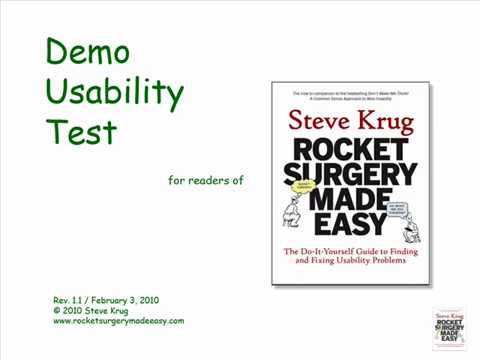
This is the short, practical manual for actually doing a test yourself, no training required. Krug walks you through running a simple session in a morning a month, and hands you the scripts, checklists, and a recording setup so you are not inventing the process from scratch. It pairs perfectly with the Nielsen article: one tells you why five users is enough, this one shows you exactly how to sit down and run it.
From
Steve Krug (New Riders)
by Steve Krug
About 168 pages
- You can run a useful test in roughly a morning a month, no lab and no research team needed
- Comes with ready-to-use scripts and checklists so you copy a working process instead of guessing
- Focus on finding the few most important problems, then fix them with the least you can do
Open
sensible.com →
📄 Article
✓ Link checked
Free
Beginner
This is the piece that gives you permission to stop waiting for a big study. Nielsen shows that just five people uncover roughly 85 percent of the usability problems in your app, and that running several small tests beats one large one because you can fix things between rounds. For a founder with no budget, it reframes testing from a scary research project into something you can do this week.
From
Nielsen Norman Group
by Jakob Nielsen
About a 10 minute read
- Five users find about 85 percent of usability problems, so you do not need a large sample to learn what is broken
- Running three small tests and fixing between them beats a single big study
- The rule holds for qualitative testing of a fairly similar user group, so split into small groups if your users are very different
Open
nngroup.com →
📄 Article
✓ Link checked
Free
Beginner
A clean primer if you have never run a test. It defines the three pieces that matter (a facilitator who does not lead, realistic tasks, and participants who look like your real users) and explains moderated versus unmoderated and qualitative versus quantitative in plain terms. Good to read before your first session so you set it up right.
From
Nielsen Norman Group
by Kate Moran
~12 min read
- Give realistic tasks, not questions about opinions
- The facilitator observes and never rescues the user
- Recruit people who resemble your actual target users
Open
nngroup.com →
📄 Article
✓ Link checked
Free
Beginner
This is the technique that turns watching into understanding. Ask users to narrate their thoughts while they work, and their confusion, wrong guesses, and moments of relief become audible. Nielsen argues it is the cheapest and most valuable method you have, and this piece is a quick guide to doing it well.
From
Nielsen Norman Group
by Jakob Nielsen
~6 min read
- Ask users to say what they are thinking as they go
- Their wrong guesses point straight at unclear labels and flows
- It is cheap, flexible, and needs no special equipment
Open
nngroup.com →
📖 Book
✓ Link checked
Paid
Beginner
The single best thing ever written on customer conversations. It teaches you to ask about the customer's life and past behaviour, not your idea, so you can't be lied to. If a founder reads one thing before talking to a single customer, it's this.
From
momtestbook.com
by Rob Fitzpatrick
~130 pages
- Talk about their life, not your idea.
- Ask about specifics in the past, not opinions about the future.
- 'That's so cool, I'd totally buy it' is a compliment, not data, dig for commitment and evidence.
Open
momtestbook.com →
📖 Book
✓ Link checked
Paid
Beginner
The most accessible, practical intro to usability ever written, you can read it in a weekend and immediately fix your product. The definition of 'make it obvious, not clever.'
From
sensible.com
by Steve Krug
~200 pages
- Self-evident design is the goal, kill anything that adds thinking.
- Users satisfice: they scan and click the first reasonable option.
- Cheap, frequent usability testing beats large formal studies.
Open
sensible.com →
📄 Article
✓ Link checked
Freemium
Intermediate
Testing with the wrong five people teaches you nothing, so this piece helps you decide who your five should actually be. Margolis lays out a one-day approach to find the specific customer most likely to adopt now. It sharpens the recruiting side of your usability test so the feedback is worth acting on.
From
Lenny's Newsletter
by Michael Margolis
- Narrow to the subset of users most likely to adopt today.
- A tight bullseye makes five sessions far more decisive.
- You can find and interview them in a single focused day.
Open
lennysnewsletter.com →
📄 Article
✓ Link checked
Free
Beginner
A founder-friendly crash course on planning and running discovery interviews, with tactics from researchers at Zoom, Zapier, and Dropbox. It is especially good on picking the one or two things you must learn and writing questions that do not lead the answer. Concrete and skimmable.
From
First Round Review
by Jane Davis
20 min read
- Decide the two things you must learn before the call.
- Reframe important questions from several angles.
- Check your own bias before interpreting answers.
Open
review.firstround.com →
📄 Article
✓ Link checked
Free
Beginner
The lowest cost way to watch real people use your product, no recruiting agency required. This guide walks through the coffee shop approach: approach a few strangers, offer a small thank you, and give them a task while you watch. When you have no budget and no users lined up, this gets you real signal by the afternoon.
From
Maze
by Maze
~9 min read
- Five to eight quick sessions surface most core problems
- Test in a cafe or campus, offer a small thank you
- If three of five stumble on the same thing, that is real signal
Open
maze.co →
✍️ Essay
✓ Link checked
Free
Intermediate
Spool, who has studied usability since the 1970s, reframes testing from a pass-or-fail exam into a habit of regularly watching real people struggle. His rule of thumb, that teams who win watch users a couple of hours every few weeks, is a low bar any founder can hit. Read it to build the habit, not just run one test.
From
Medium (Jared Spool)
by Jared Spool
- Aim to watch users for a couple of hours every few weeks.
- Treat testing as ongoing learning, not a one-time gate.
- Regular exposure to real struggle keeps the team honest.
Open
jmspool.medium.com →
📖 Book
✓ Link checked
Paid
Intermediate
Most founders treat customer research as a one-time pre-launch exercise, then go quiet once the product ships. Torres makes the opposite case: the core habit is talking to a handful of customers every single week, run by the same people building the product, so learning never stops. This is the clearest, most practical playbook for turning discovery into a standing rhythm instead of a project.
From
Amazon
by Teresa Torres
~200 pages
- The keystone habit is weekly touchpoints with 5 to 7 customers, done by the team building the product, not outsourced to a research department
- Use story based interviews (ask about a specific recent experience) instead of asking people what they want or would do in the abstract
- Tie every interview back to a desired outcome using opportunity mapping, so research drives decisions rather than piling up as notes
Open
amazon.com →
📄 Article
✓ Link checked
Free
Beginner
A founder-framed walkthrough of running a lightweight usability test and why five users catch roughly 80 percent of issues. It keeps the focus on decisions a founder makes rather than research theory. A practical companion read to the Nielsen five-user piece.
From
UXReactor
by UXReactor
- Five users capture the large majority of usability problems.
- Define the task and what success looks like before testing.
- Skipping this is one of the most expensive shortcuts founders take.
Open
uxreactor.com →
📄 Article
✓ Link checked
India
Free
Beginner
Written for Indian founders, it names the local trap of jumping straight to wireframes and dev without watching a single real user, precisely because dev is cheap here so the cost gets paid after launch. It makes the case for testing a prototype early in the Indian context. A useful nudge if your instinct is to just ship and see.
From
Vamos Digital
by Vamos Digital
- Building from your own assumptions solves your problem, not the user's.
- Cheap dev makes skipping user testing tempting and expensive later.
- Test an interactive prototype before you commit engineering time.
Open
vamosdigital.in →