
How Founders Use AI
How people use AI, and the tool for each job.
The AI map of which tool is for which job, checked on 29 October 2026, what changed since July, and every video, thread, guide, podcast and tool behind 360 answered questions on putting AI to work.
The AI map: which tool is for which job, as of 29 October 2026
Models and assistants AI assistants Frontier models Open-weight models Decision models
Building with AI Coding agents App builders Design and presentations Spreadsheets, data and internal tools
Agents and research Agents that do tasks for you AI browsers No-code automation with AI steps Research and search Meeting notes and everyday productivity
Making media Video generation Images Avatars and voice Music and audio Video editing
AI at work Prospecting and sales Marketing, ads and AI search Customer support agents Legal and contracts Finance and accounting Hiring and HR
What changed since July
- 28 Oct 2026 GitHub began including Copilot with GitHub Enterprise licences and added projects to the Copilot app, where several agents work across repositories. Coding agents github.blog
- 27 Oct 2026 n8n released the 3.0 beta, a reliability and security release with breaking changes; self-hosting now runs on Docker only and the stable release is due in early December. No-code automation with AI steps blog.n8n.io
- 27 Oct 2026 Hex released Hex 4.0, rebuilt for analysts and AI agents working together, with a $100 million raise. Spreadsheets, data and internal tools hex.tech
- 26 Oct 2026 Replit launched Replit for Business, and the next day Cloud Agents that let non-engineers propose changes to a company codebase. App builders blog.replit.com
- 26 Oct 2026 OpenAI released GPT-6.1 Terra at $1 / $5 per million tokens, half the price of GPT-6.1 Sol. Frontier models openai.com
What founders use most, ranked by how many answers lean on it.
- A personal AI CRM built in 20 minutes for $20/month, with the exact setup shared. growthunhinged.com Article Everyone can have their own AI CRM Kyle Poyar (Growth Unhinged)
-
 Video
Building a CRM From Scratch With Claude Code (Start to Finish)
Brendan Jowett
-
 Video
Your CRM Sucks, Build One With Claude Code
Brendan Jowett
- Shows the step most tutorials skip: wiring your AI-built CRM to real accounting data. devblog.xero.com Guide Build a CRM with Claude Code & Xero Regan Ashworth (Xero Developer)
- The canonical fast path to a CRUD admin panel on top of a real database. retool.com Guide Supabase admin panel tutorial: build it in under 20 minutes Retool
-
 Video
How to build an admin panel for Supabase in 10 minutes
Retool
-
 Video
How to create a Supabase Admin Dashboard
UI Bakery
-
 Video
Build an admin panel for Supabase in 5 minutes (Airtable + Whalesync)
Whalesync
- Point it at your schema and chat your way to a production-ready React admin, code included. refine.dev Guide Create an admin panel with Supabase in 5 minutes with Refine AI Refine
- The no-code route to an admin surface with user permissions over live Postgres data. softr.io Tool Build a custom Supabase admin dashboard in minutes Softr
- Describe the tracker you need and Omni generates tables, interfaces, and automations in one shot. airtable.com Tool Airtable Omni: Your expert AI app builder Airtable
- Why the biggest internal-tools platform rebuilt itself around conversational app building. airtable.com Article The AI-Native Airtable Has Arrived: A Letter from our CEO Howie Liu (Airtable)
-
 Video
Build a Custom App Interface in Minutes with Airtable's Omni AI
Airtable
- The Chennai-built option: idea-to-app generation with OCR and prediction skills, priced for Indian teams. zoho.com Article Zoho adds advanced AI capabilities to Zoho Creator (CoCreator) Zoho
- Lovable's own playbook for dashboards, trackers, and workflows built in an afternoon. lovable.dev Guide Build Internal Tools Without Code Lovable
-
 Video
We Made Claude Code Build Lovable in 75 Minutes (With No Code)
Riley Brown
- The clearest step-by-step of the sheet-to-app path: clean data, connect, customise, ship. glideapps.com Guide How do you turn a spreadsheet into a web app? Glide
-
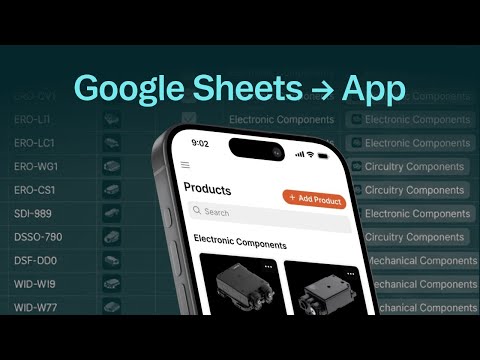 Video
Google Sheets to App in Minutes | Glide Tutorial
Glide
-
 Video
Spreadsheet to App | Glide Tutorial (No Coding Required)
Glide
-
 Video
Glide No-Code Review: Transform Google Sheets into Powerful Apps
David Alex
-
 Video
Build a Simple App from a Google Sheet with Glide
Mike Sammartano
- Maps the whole category so you pick the right builder for your sheet, not the loudest ad. stacker.ai Article Best Spreadsheet-to-App Builders: Complete Guide Stacker
- Google's official path from a Sheets-based process to a described-in-English app. support.google.com Guide Create apps using Gemini for App Creation Google AppSheet
- Why Google thinks the ops person who owns the spreadsheet should be the one who builds the app. workspace.google.com Article Democratizing app development using AppSheet with Gemini Google Workspace
Playbooks
A goal, and the route through it a step at a time.
The questions, by topic
Building & Product
Research & Knowledge
Marketing & Growth
Sales & Customers
Operations & Back-office
Strategy & The AI-Native Founder
Everyday AI









