
How Founders Use AI
How people use AI, and the tool for each job.
The AI map of which tool is for which job, checked on 29 October 2026, what changed since July, and every video, thread, guide, podcast and tool behind 360 answered questions on putting AI to work.
The AI map: which tool is for which job, as of 29 October 2026
Models and assistants AI assistants Frontier models Open-weight models Decision models
Building with AI Coding agents App builders Design and presentations Spreadsheets, data and internal tools
Agents and research Agents that do tasks for you AI browsers No-code automation with AI steps Research and search Meeting notes and everyday productivity
Making media Video generation Images Avatars and voice Music and audio Video editing
AI at work Prospecting and sales Marketing, ads and AI search Customer support agents Legal and contracts Finance and accounting Hiring and HR
What changed since July
- 28 Oct 2026 GitHub began including Copilot with GitHub Enterprise licences and added projects to the Copilot app, where several agents work across repositories. Coding agents github.blog
- 27 Oct 2026 n8n released the 3.0 beta, a reliability and security release with breaking changes; self-hosting now runs on Docker only and the stable release is due in early December. No-code automation with AI steps blog.n8n.io
- 27 Oct 2026 Hex released Hex 4.0, rebuilt for analysts and AI agents working together, with a $100 million raise. Spreadsheets, data and internal tools hex.tech
- 26 Oct 2026 Replit launched Replit for Business, and the next day Cloud Agents that let non-engineers propose changes to a company codebase. App builders blog.replit.com
- 26 Oct 2026 OpenAI released GPT-6.1 Terra at $1 / $5 per million tokens, half the price of GPT-6.1 Sol. Frontier models openai.com
What founders use most, ranked by how many answers lean on it.
- Real human panels with AI synthesis, highlight reels, and fraud detection on top. usertesting.com Tool UserTesting AI: AI-powered UX platform UserTesting
- Mobile-specific prototype testing tactics, useful for app founders. usertesting.com Article How to get rapid user feedback on your mobile app prototype UserTesting
- The leading tool for AI-simulated interviews; try it knowing its limits. syntheticusers.com Tool Synthetic Users Synthetic Users
- Peer-reviewed-grade caution on what simulated users systematically miss. interactions.acm.org Article The challenges of synthetic users in UX research ACM Interactions
- Quantitative comparisons of synthetic versus human responses across studies. measuringu.com Article A review of experiments with synthetic users MeasuringU (Jeff Sauro)
- A balanced practitioner summary if you only read one pros-and-cons piece. medium.com Article AI synthetic users for UX testing: pros and cons guide Hashbyt
- Head-to-head of the three main AI research platforms, including message testing. genesysgrowth.com Article UserTesting AI vs Maze AI vs Wynter: a complete guide Genesys Growth
- A current tool landscape so you pick by need, not brand recall. uxarmy.com Article Top AI tools for usability testing UXArmy
- A researcher's hands-on trial of synthetic interviews with honest results. carolinaguimaraeslima.medium.com Article Synthetic users: the next revolution in UX research? Carolina Guimarães
- The evergreen craft of prototype testing: watch, don't instruct. ixdf.org Article Test your prototypes: how to gather feedback and maximize learning Interaction Design Foundation
- A free field guide for running interviews that produce decisions, not just notes. userinterviews.com Guide User interviews for UX research: what, why and how User Interviews
- Prompt to real React Native app, submittable to the App Store and Google Play. rork.com Tool Rork: create mobile apps using AI in minutes Rork
- Context on the fastest-growing mobile AI builder and where it is headed. prnewswire.com Article Rork raises $15M to power the next generation of App Store entrepreneurs Rork (PR Newswire)
- The top vibe-coding channel on YouTube, heavy on mobile app builds. youtube.com Video Riley Brown's vibe coding playlist Riley Brown
- Weekly practical lessons from the founder of a mobile vibe-coding company. newsletter.vibecodeapp.com Guide Learn to Vibe Code newsletter Riley Brown (VibeCode)
-
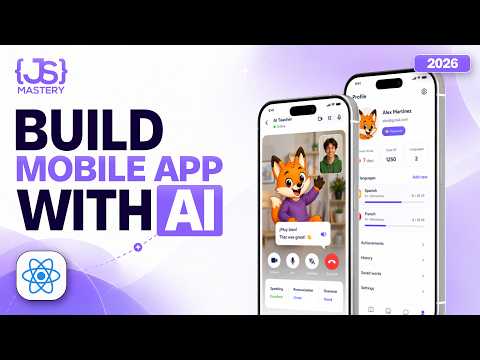 Video
How to actually build mobile apps with AI: a complete beginner's tutorial
YouTube educator
-
 Video
Lovable AI: how to build an app and upload to the App Store
YouTube educator
- Google's account of the redesigned Stitch: an infinite canvas, screens linked into a playable flow, and DESIGN.md for design... blog.google Article Introducing “vibe design” with Stitch Google (Rustin Banks, Google Labs)
- Free, Gemini-powered mobile and web UI generation with code export. stitch.withgoogle.com Tool Stitch: design with AI Google Labs
- A critical review so you know Stitch's ceiling before relying on it. index.dev Article Google Stitch review: AI UI design tool features, pros and cons Index.dev
- Generates multi-screen mobile mockups from a prompt, editable by drag and drop. uizard.io Tool Uizard Autodesigner Uizard
-
 Video
Uizard Autodesigner full walkthrough
Uizard
-
 Video
Uizard Screenshot: design an app using a screenshot
Uizard
- Prompt-to-app inside Figma, strongest when design fidelity matters. figma.com Tool Figma's free AI app builder Figma
Playbooks
A goal, and the route through it a step at a time.
The questions, by topic
Building & Product
Research & Knowledge
Marketing & Growth
Sales & Customers
Operations & Back-office
Strategy & The AI-Native Founder
Everyday AI









